Coming Soon
Student Participation Tracker
Keep the discussion moving.Keep your notes organized.
Track participation and attendance, see who to call on next, and keep a clear history for each student.
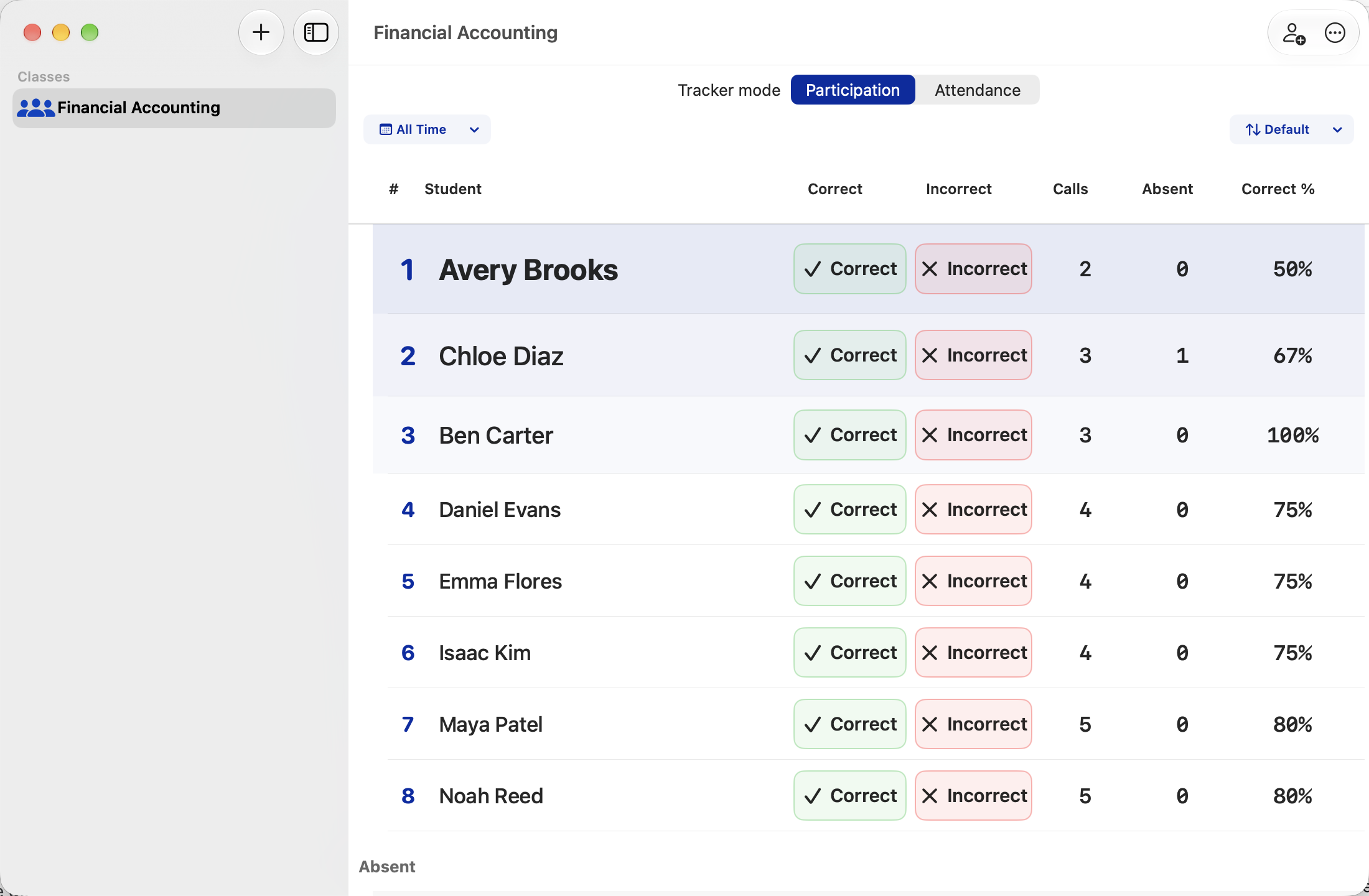
Know who to call on next.
One-tap correct and incorrect controls keep participation tracking quick. Your roster auto-sorts as results change, helping you choose who to invite into the discussion next.
Flexible sorting and an optional Call button adapt to your teaching style.
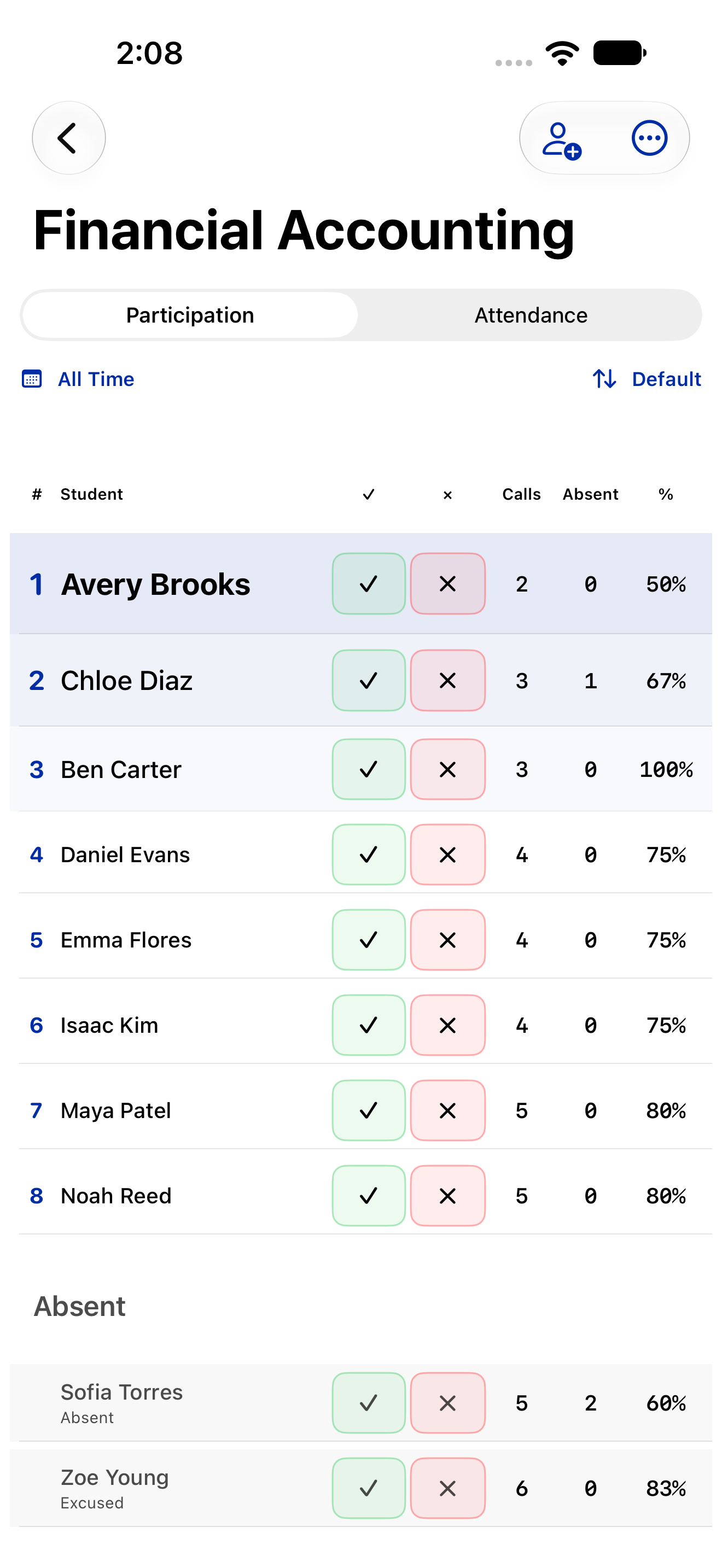
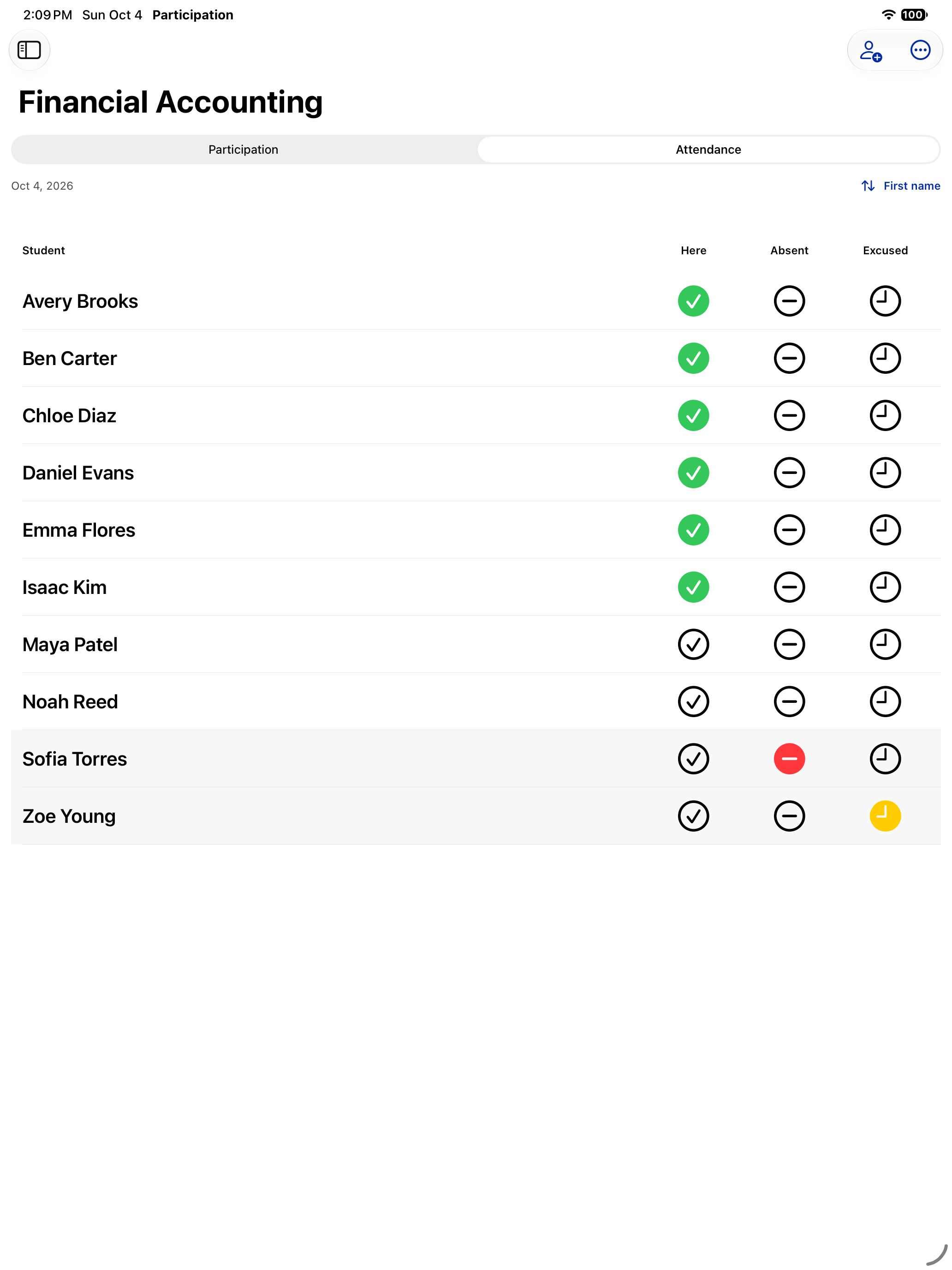
Attendance at a glance.
Clear, color-coded controls show who’s here, absent, or excused, with a separate attendance history for every student.
Past attendance stays easy to review and correct, with participation and attendance together in one app.
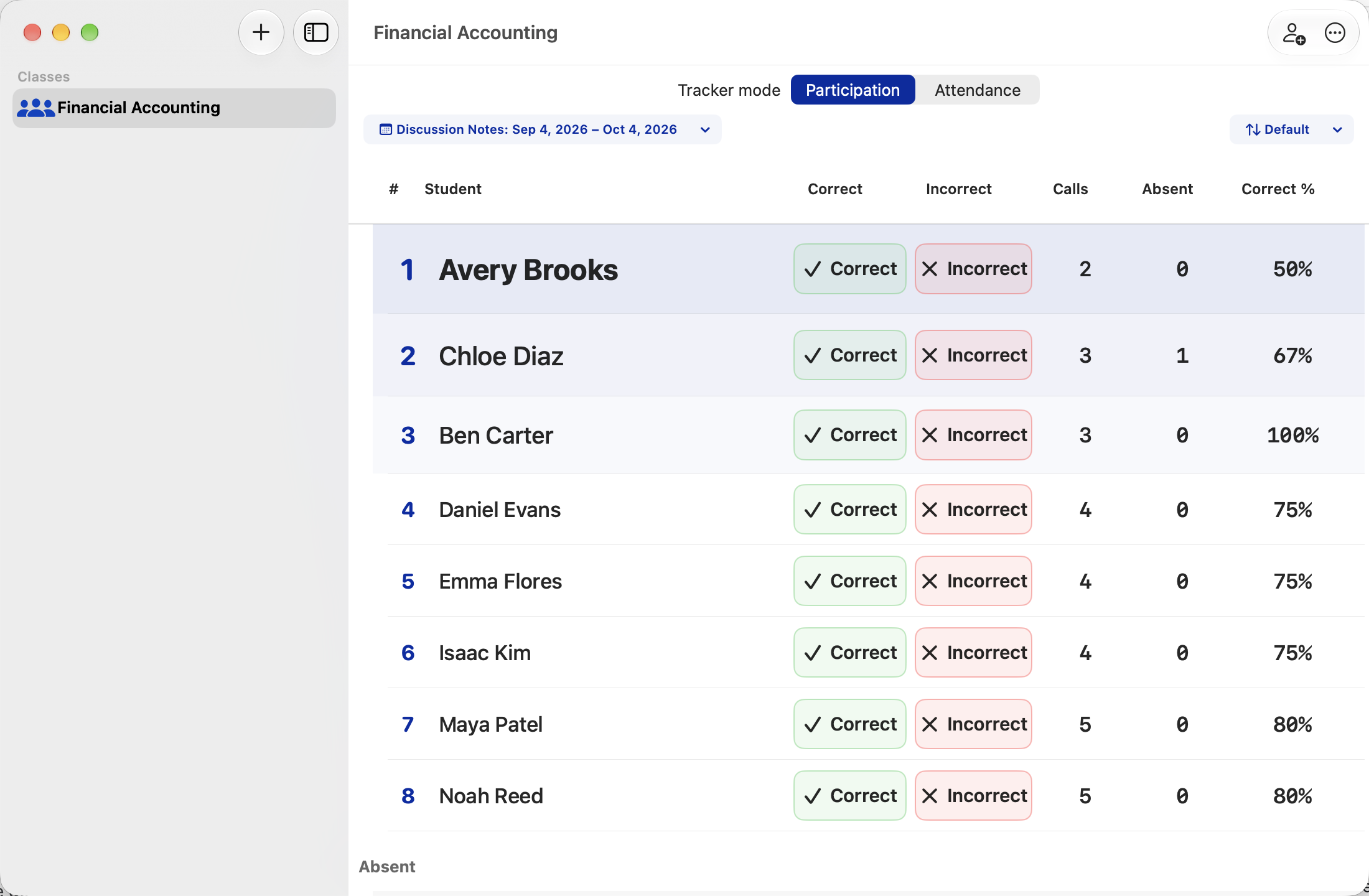
Focus on the period you need.
Today, this week, all time, or a named period for an exam, a unit, or a series of discussions: the view fits the moment.
Named periods can cover a fixed date range or continue through today. Each class remembers its own selection so you can switch classes without losing your place.
Your classroom history, organized.
Dated participation and attendance entries, with private notes, put each student’s history in context. Past entries remain editable when a correction is needed.
Flexible history cleanup keeps your rosters intact, whether you’re tidying up a date range, one student, one class, or all your records.

Fits the way you teach.
Simple to start, flexible as your classes grow.
Build a class in minutes
Individual entry, pasted rosters, and CSV or text imports make getting a class ready quick and simple.
Find the perspective you need
Flexible sorting by name, calls, absences, or percent correct gives you the perspective you need.
Keep your notes private
An app PIN, Face ID, or Touch ID adds another layer of privacy on supported devices.
Start free. No subscription.
Every feature is available free with one class and up to 30 students. A one-time Full Access purchase removes the class and student limits.
Your classroom notes remain yours.
Your class names, student information, participation records, attendance, and notes are not sent to the developer. No separate app account is required.
Your records stay on your devices. Optional encrypted iCloud sync brings your notes with you across iPhone, iPad, and Mac.
Complete encrypted backups preserve your classes, students, history, notes, and saved date periods, so your records are ready when you change devices or start fresh.
Bring your classroom into one clear view.
Apple, App Store, iPhone, iPad, Mac, Face ID, Touch ID, and iCloud are trademarks of Apple Inc., registered in the U.S. and other countries and regions. Mac App Store is a service mark of Apple Inc.